

AI avatar technology is revolutionizing how creators, marketers, and enterprises produce video content. Rather than spending days on filming, lighting, actors, and post‑production, you can now generate highly realistic AI avatar videos with just text, voice, and a few clicks. Modern tools help users scale content output rapidly, maintain consistent style, and personalize messaging without a camera crew or studio setup. This surge in demand — from short‑form social content to enterprise training videos — is why so many creators now create AI avatar videos as part of their daily workflow.
If you’re wondering “Which tools are actually worth using?” this guide walks you through my first‑hand testing of the 5 best AI avatar platforms in 2026 — including how they compare in usability, realism, speed, and overall output quality.
Best 5 AI Avatar Tools for Realistic Video Creation in 2026
1. Pollo AI
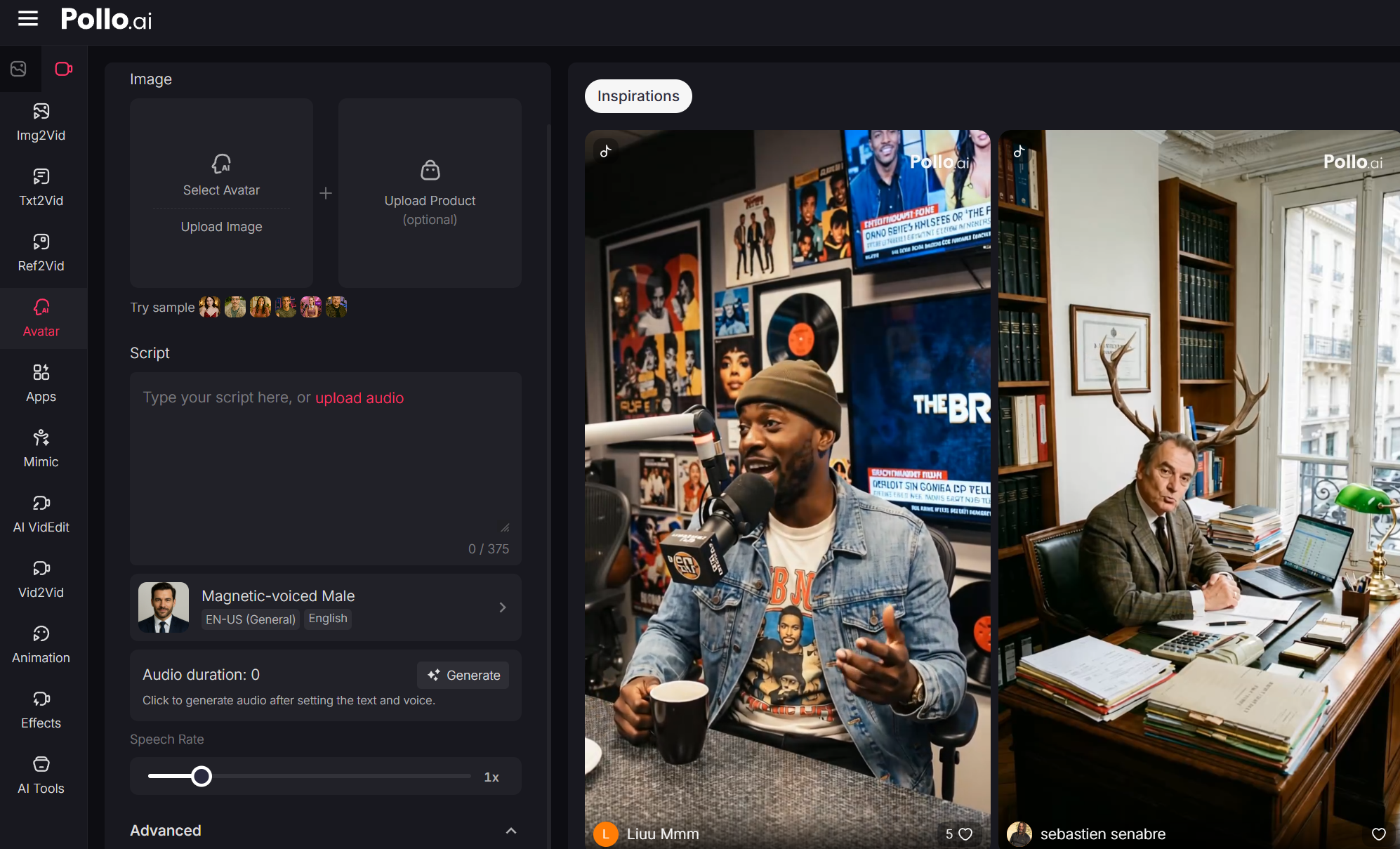
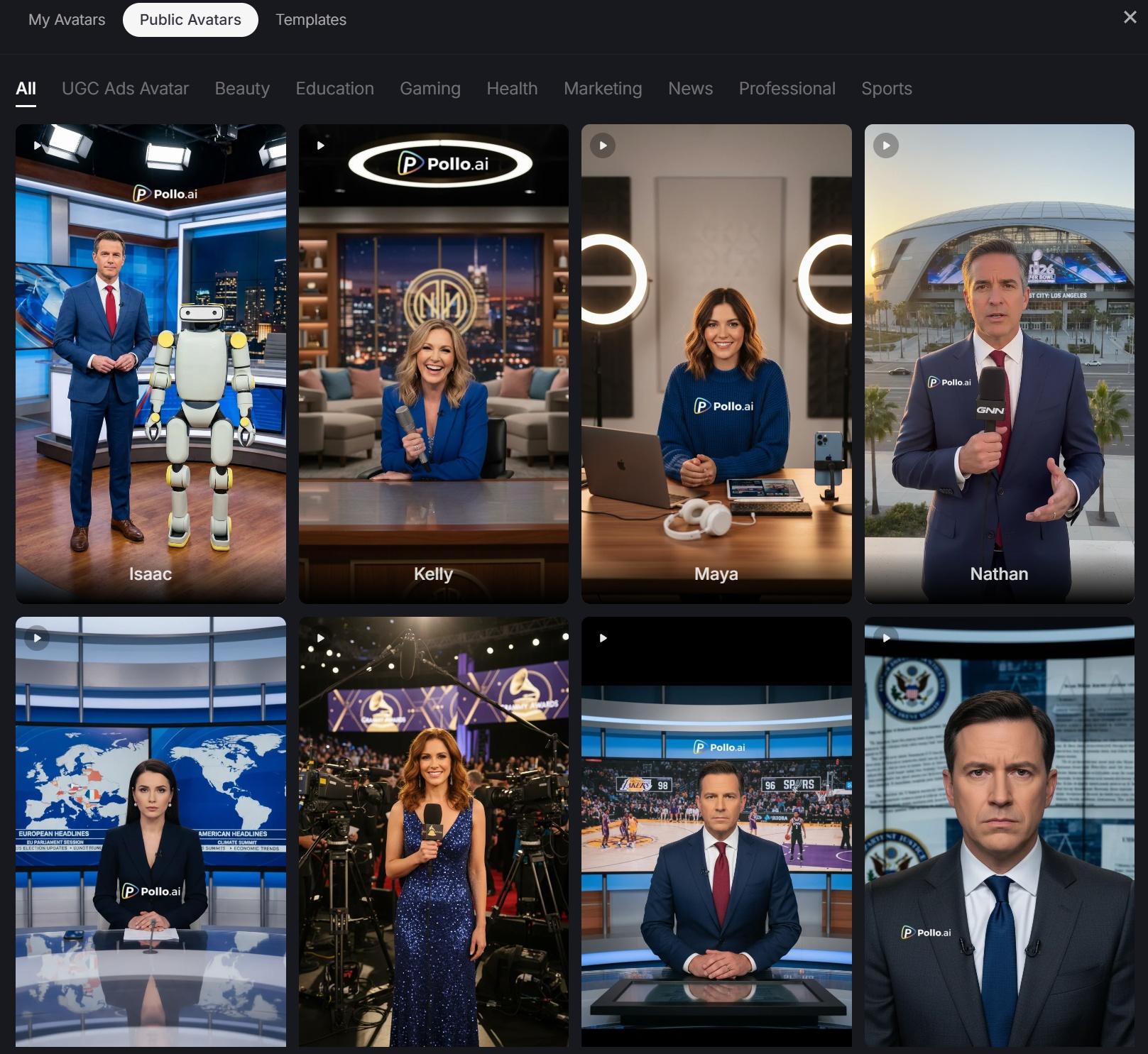
As someone who creates and publishes content frequently, I found myself coming back to Pollo AI avatar generator because of how efficiently it fits into a daily workflow. The first thing I noticed was the motion quality — instead of stiff, looped animations, the avatars showed subtle, continuous movements like slight head turns, blinking, and gaze adjustments that made the output feel more human.
When I tested generation speed, most videos rendered relatively quickly compared to other tools I’ve used. I could go from script to a usable clip in a short time, which made it practical for iterative content creation. In terms of visual quality, the outputs were consistently clean, with stable facial structure and minimal glitches, even when I experimented with different styles.
What also stood out to me was how simple the process felt. I didn’t need to spend much time learning the interface — uploading an image, adding a script, and generating a video felt straightforward. The ability to switch between devices (web, Android, iOS) made it easy for me to preview or adjust content on the go. While it doesn’t go as deep into post-production editing as some professional tools, I found the balance between speed and quality very practical for regular use.
Best For: Creators, social media workflows
Pros: Fast generation, natural motion, intuitive workflow
Cons: Limited advanced editing compared to pro tools
My tip: If I’m starting a new project or testing ideas quickly, Pollo AI is usually the first tool I open because it gives me usable results without much setup.
2. Adobe Firefly (Video Model)
When I used Adobe Firefly, the experience felt closer to working inside a full production pipeline rather than a standalone AI generator. What I appreciated most was the level of control after generation — I could take the base output and refine lighting, pacing, and visual effects directly in Premiere Pro or After Effects.
From a performance standpoint, generation speed was decent, though not the fastest. However, the visual quality was polished, especially in terms of lighting consistency and overall composition. I found that Firefly handled professional scenarios well, particularly when I needed outputs that matched existing brand visuals or campaign assets.
That said, my experience depended a lot on familiarity with Adobe tools. When I approached it as a beginner, it felt slightly complex, but once I integrated it into an existing editing workflow, it became much more powerful.
Best For: Professional creators, studios, post-production workflows
Pros: Deep editing control, strong visual quality, Adobe integration
Cons: Requires experience with Adobe ecosystem
3. HeyGen
In my testing, HeyGen stood out for how quickly I could produce clean, ready-to-use videos. The workflow was straightforward — I could input a script, select an avatar, and generate a video without much friction. The lip sync was particularly reliable, and even when I tested multiple languages, the mouth movements stayed aligned with the audio.
Generation speed was consistently fast, which made it useful for producing multiple variations in a short time. The visual output was stable and predictable, which I found helpful for marketing content where consistency matters more than experimentation.
However, when I looked more closely at motion, I noticed that while expressions were solid, the overall body movement felt more limited compared to tools focused on dynamic realism.
Best For: Marketing content, multilingual videos
Pros: Fast output, accurate lip sync, easy workflow
Cons: Less dynamic motion compared to newer tools
4. Luma
When I experimented with Luma, I focused on scenes that required more expressive or cinematic movement. This is where it performed well — the motion felt fluid and continuous, especially in sequences involving gestures or environmental interaction. Compared to simpler avatar tools, the transitions between movements were smoother and less mechanical.
That said, I did notice that generation took a bit longer, and getting the desired result required more careful input. The interface and controls also took me some time to get used to, especially when trying to fine-tune motion behavior.
In terms of visual quality, Luma delivered strong results for storytelling scenarios, but it felt less optimized for quick, repeatable content production.
Best For: Narrative videos, cinematic scenes
Pros: Smooth motion, good for expressive sequences
Cons: Slower generation, steeper learning curve
5. Synthesia
I’ve mainly used Synthesia in more structured or professional contexts, and it clearly reflects that focus. The platform is very organized — I could manage scripts, scenes, and multiple videos in a systematic way, which worked well for training or internal communication projects.
The generation speed was steady, and the output quality was consistent. The avatars looked polished and well-lit, but in my experience, they leaned toward a more formal tone. For corporate or instructional content, that’s actually a strength, but for casual or social media content, it sometimes felt less natural.
I also found its language support and avatar variety useful when creating content for different audiences, though customization of motion and expression felt more limited compared to newer tools.
Best For: Corporate training, enterprise communication
Pros: Professional output, structured workflow, multilingual support
Cons: More formal feel, less expressive motion
Summary
After using all of these tools in different scenarios, I’ve found that each one serves a specific purpose. Some prioritize speed, others focus on motion realism or professional editing workflows.
How to Choose the Right AI Avatar Tool for You?
Choosing the right platform depends on your goals, workflow style, and content type. Here’s how to match tools to needs:
If You’re a Social Content Creator
Choose tools that are fast, easy, and optimized for scaling releases. Pollo AI and HeyGen excel here with quick turnaround times and friendly interfaces.
For Marketing & Ads
You want speed + polished output — HeyGen and Pollo AI balance both. Luma is great if your ads need dramatic motion or storytelling.
For Corporate Training Videos
Tools like Synthesia are built for scalability across departments, language support, and compliance needs.
For Professional Editors
Adobe Firefly is unmatched if you already use Premiere Pro or After Effects and want deep control over the final visuals.
Conclusion
In 2026, AI avatar technology has matured into a powerful content production ecosystem. When you compare AI avatar platforms for ease of use and compare the best AI avatar platforms for speed, tools like Pollo AI, HeyGen, Adobe Firefly, Luma, and Synthesia emerge as top contenders.
For most creators — especially those producing frequent videos — Pollo AI consistently delivers the best balance of natural realism, flexibility, and speed across devices. If you’re just starting out with AI avatar video creation, Pollo AI should be your first stop.